
Blocks
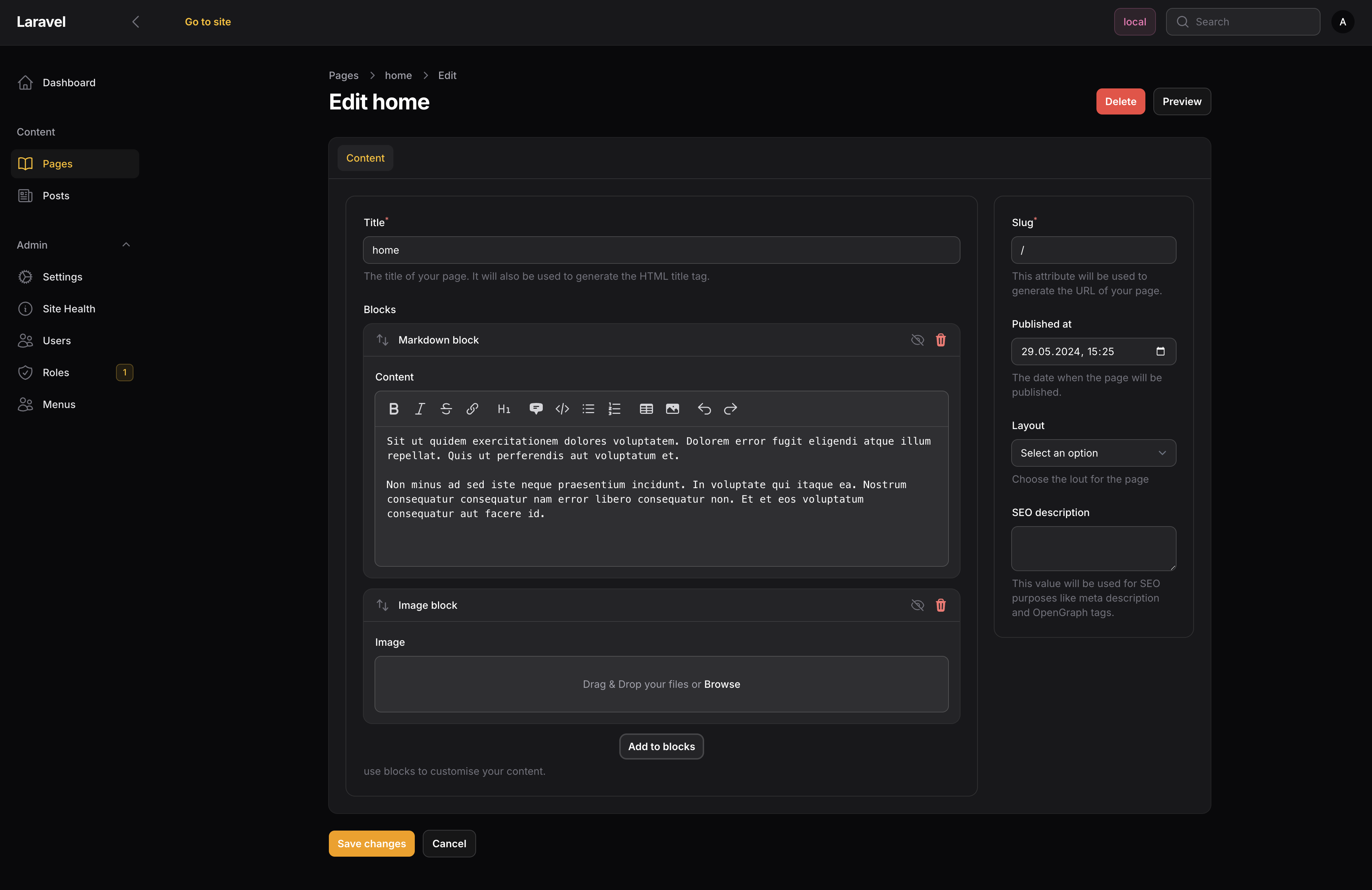
Blocks are the content pieces inside pages. They're drag-and-drop components in the admin that render on the frontend.
Built-in Blocks
Markdown Block - A markdown editor with GitHub Flavored Markdown, optional table of contents, and syntax highlighting (if you set up Torchlight).
Image Block - Uses Spatie MediaLibrary for responsive images with an image editor.
Creating a Block
bash
php artisan make:siteman-block HeroBlockThis creates a block class and a Blade view. Here's what a block looks like:
php
<?php declare(strict_types=1);

namespace App\Blocks;

use Filament\Forms\Components\TextInput;
use Illuminate\Contracts\View\View;
use Siteman\Cms\Blocks\BaseBlock;
use Siteman\Cms\Models\Page;

class HeroBlock extends BaseBlock
{
    public function id(): string
    {
        return 'hero';
    }

    protected function fields(): array
    {
        return [
            TextInput::make('title')->required(),
            TextInput::make('subtitle'),
        ];
    }

    public function render(array $data, Page $page): View
    {
        return view('blocks.hero', $data);
    }
}
And the view:
blade
{{-- resources/views/blocks/hero.blade.php --}}
<section class="hero">
    <h1>{{ $title }}</h1>
    @if($subtitle)
        <p>{{ $subtitle }}</p>
    @endif
</section>
Registering Blocks
Register blocks in your theme's configure method:
php
public function configure(Siteman $siteman): void
{
    $siteman->registerBlock(HeroBlock::class);
}
Rendering Blocks
In your theme views, use the BlockRenderer:
blade
@php
    $renderer = app(\Siteman\Cms\Blocks\BlockRenderer::class);
@endphp

@foreach($page->blocks ?? [] as $block)
    {!! $renderer->render($block, $page) !!}
@endforeach
Disabling Blocks
Blocks can be toggled on/off in the admin without deleting them. Disabled blocks have 'disabled' => true in their data.